
Demo 1: price momentum, MA 20/60, and indicators
A standalone screenshot-led tutorial: price momentum, MA 20/60, and indicators, from configuration to result checks.
Before you begin
This tutorial records the unpublished main source candidate 0.2.0rc1. Bring your own local data and freeze it using the shared preparation guide. Results remain RESEARCH-ONLY with PIT guarantee false.
Shared preparation: select and freeze data
Set the strategy
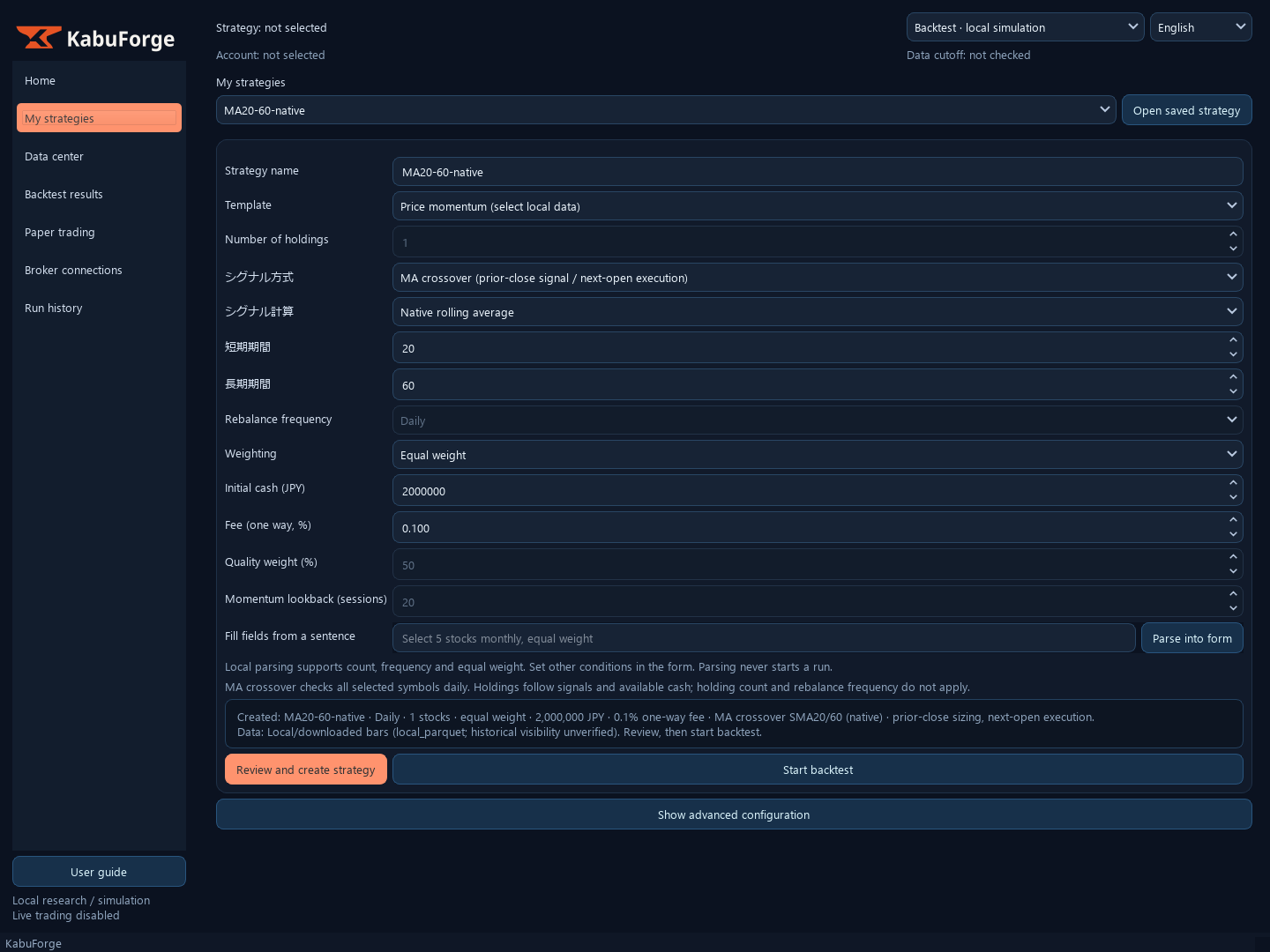
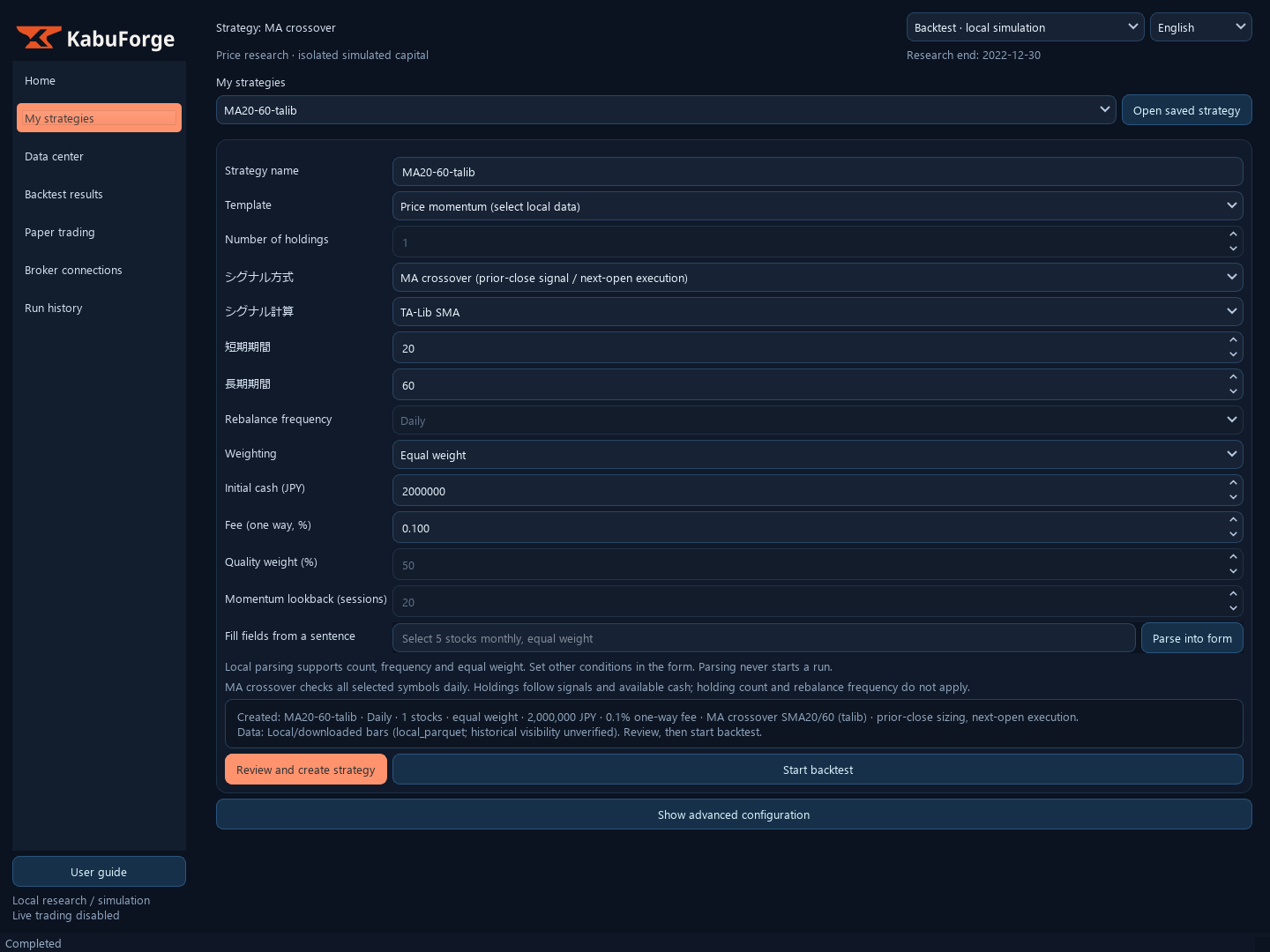
In “My Strategies”, create a research strategy from “Price momentum (downloaded data)”, select the frozen input, and keep the fixed 20-session momentum, monthly rebalance, two holdings, JPY 2,000,000 initial cash, and 0.1% one-way fee. For the separate crossover example, choose “MA crossover (prior close / next open)” with fast/slow periods 20/60.
Do not change windows after viewing NAV. Run preflight and then the backtest.
Understand signals and fills
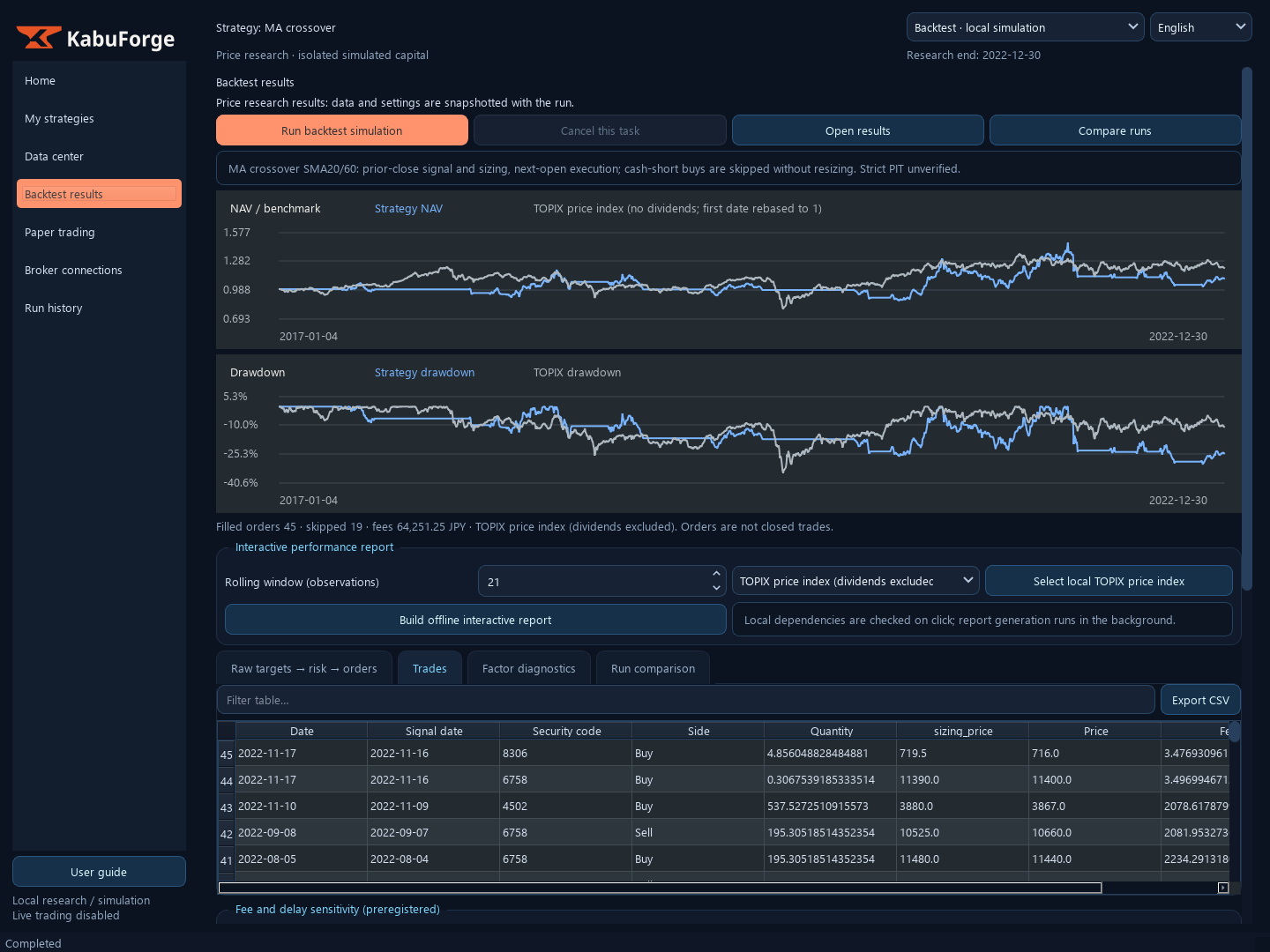
Signals use the previous observed close and earlier data; share quantities are fixed at the prior close and execute at the next observed open. Process sells before buys on the same date. If an opening gap leaves insufficient cash, skip the entire frozen order rather than resizing it.
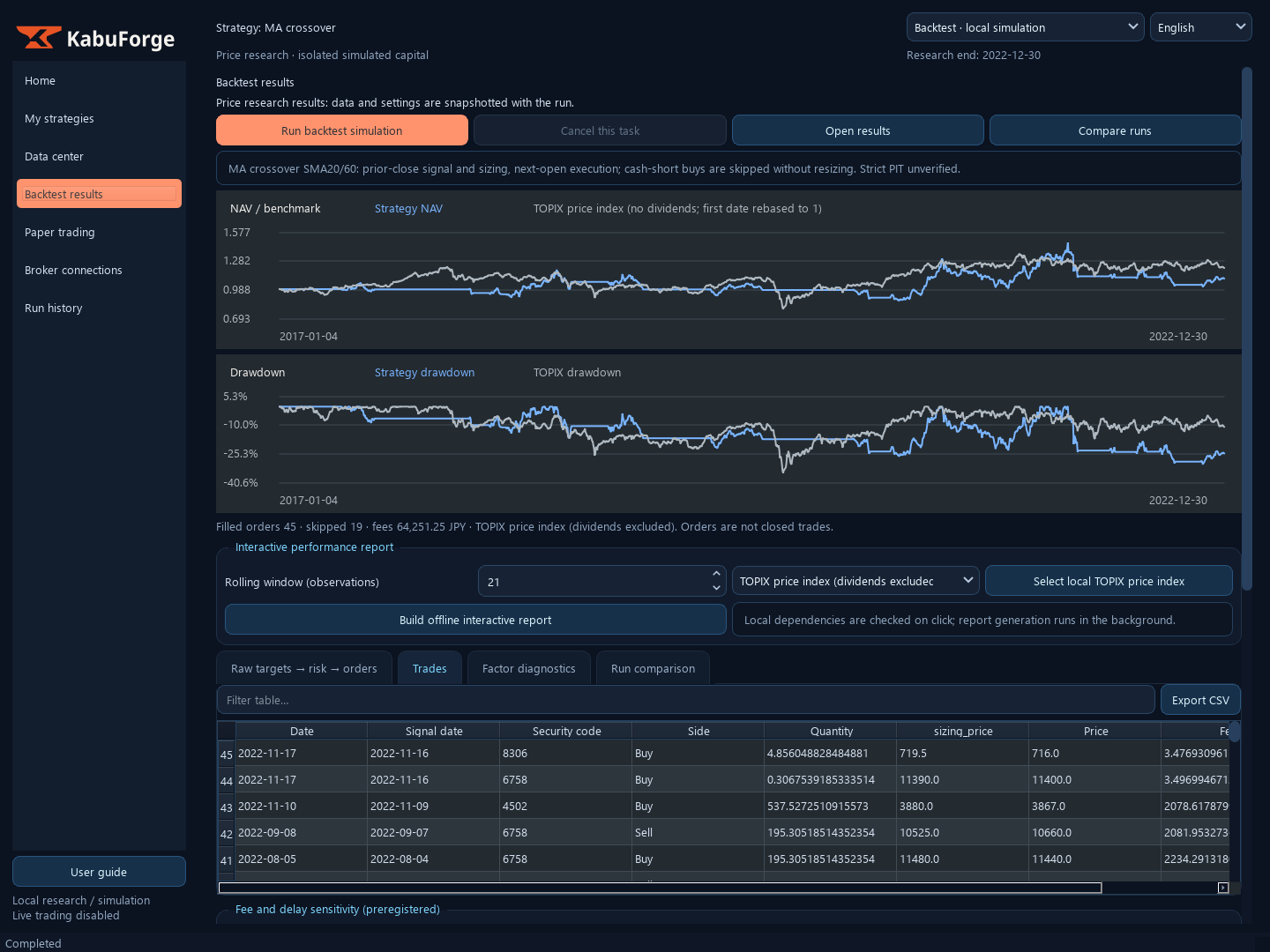
Mark NAV at raw close. Native and TA-Lib MA outputs should match financially for the same frozen recipe; the indicator provider does not alter strategy accounting. The reference momentum report covers 1,464 observations, with 161 fill orders and 22 skipped orders.
Use those counts only when input, recipe, and report identity exactly match; order count is not closed-trade count.
Inspect the result
Open “Backtest Results” and check input SHA, dates, cash/holdings, fills, skip reasons, and fees. Read the price chart as separate prior-close scheduled signals, actual opening fills, and skipped orders. A fill marker is not a signal price.
The model excludes dividends, slippage, market impact, and round lots. Historical PIT is unverified; this is not new OOS evidence or PAPER-READY.
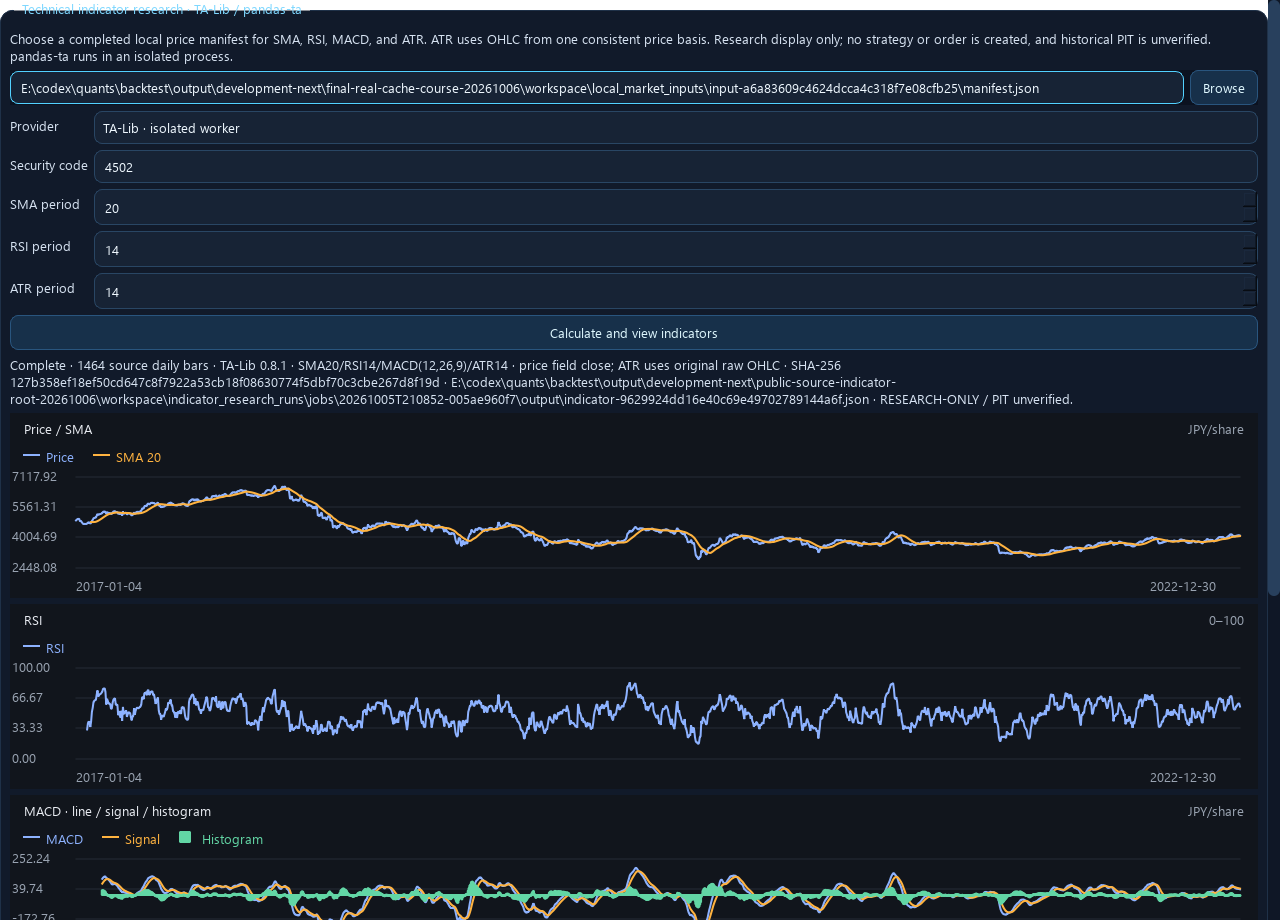
Calculate technical indicators
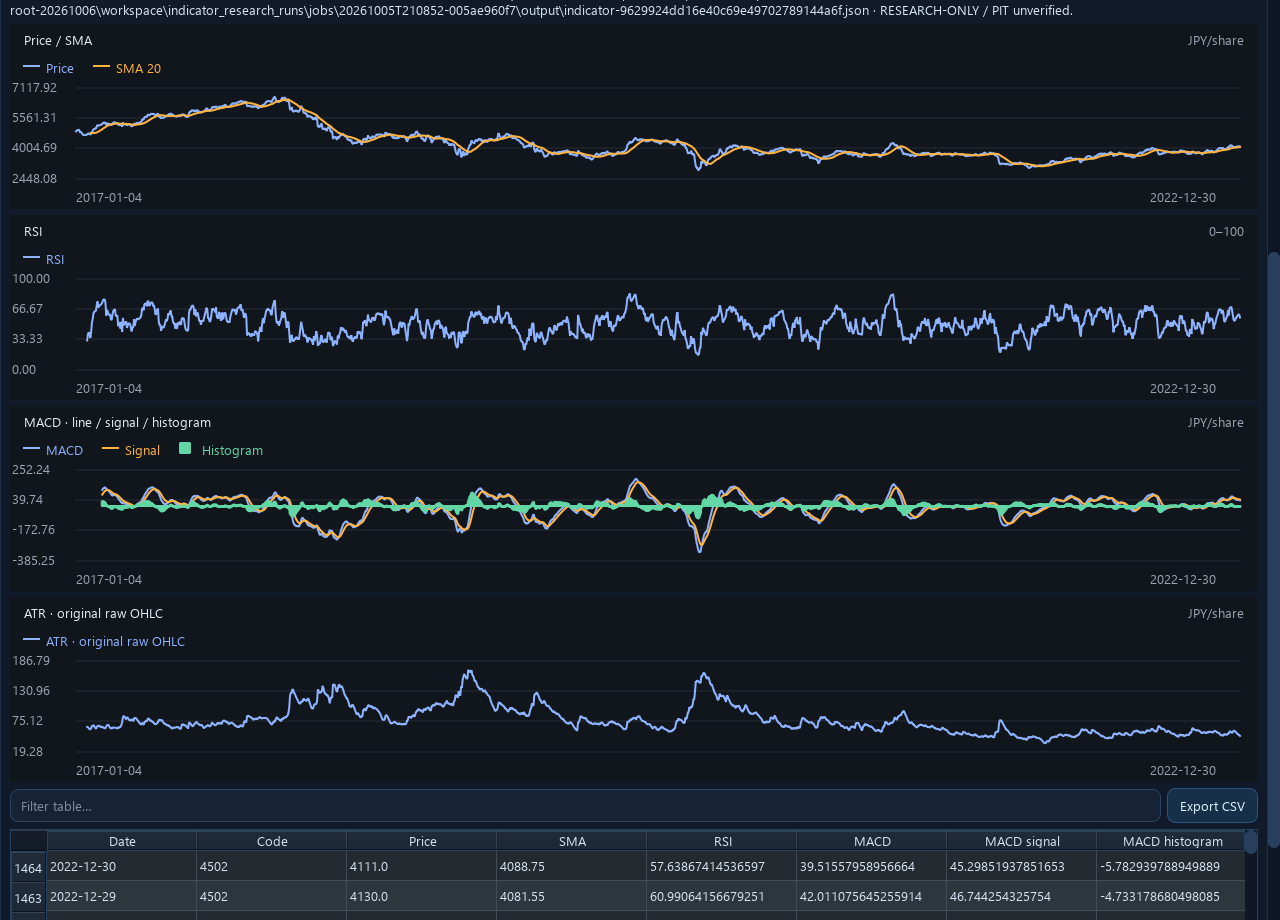
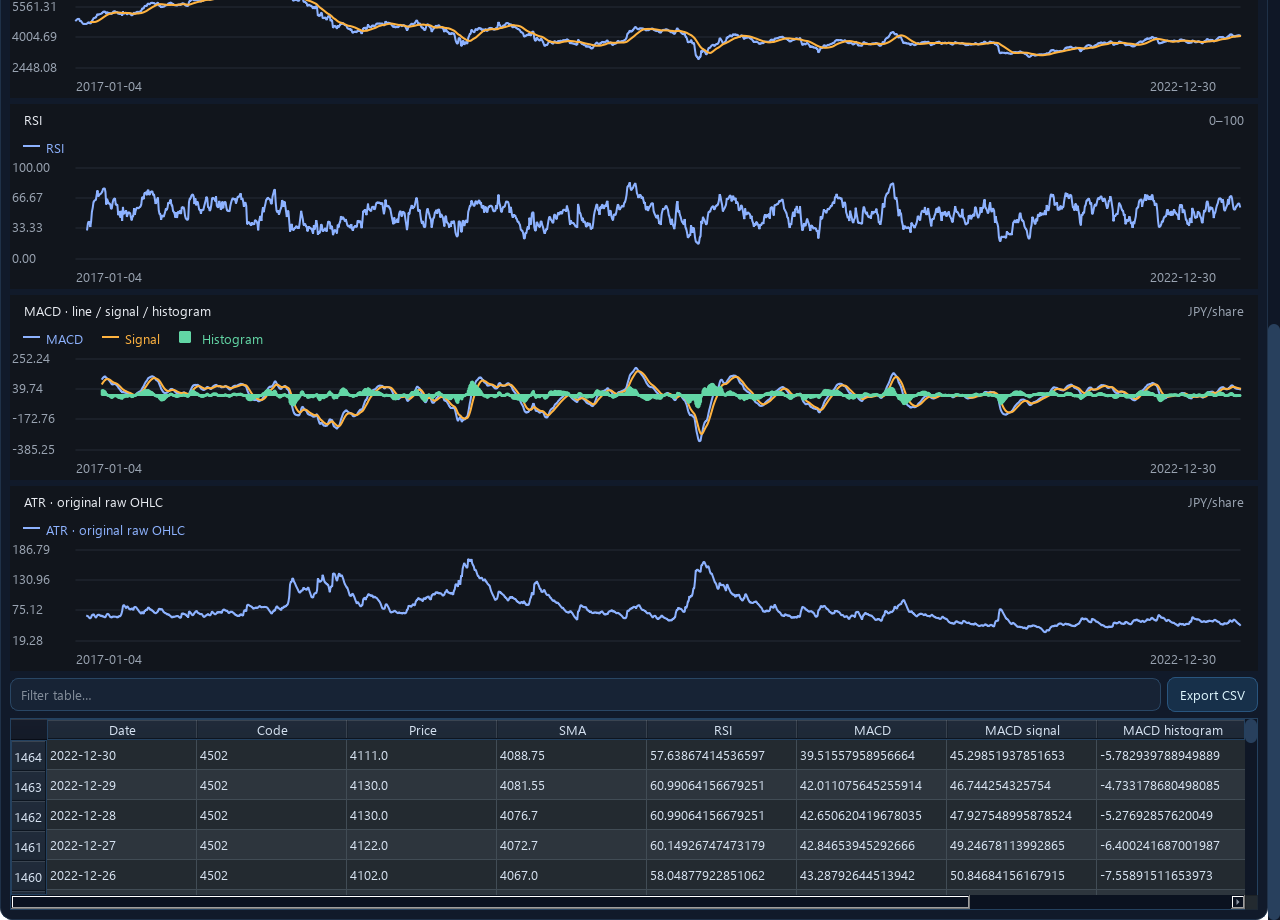
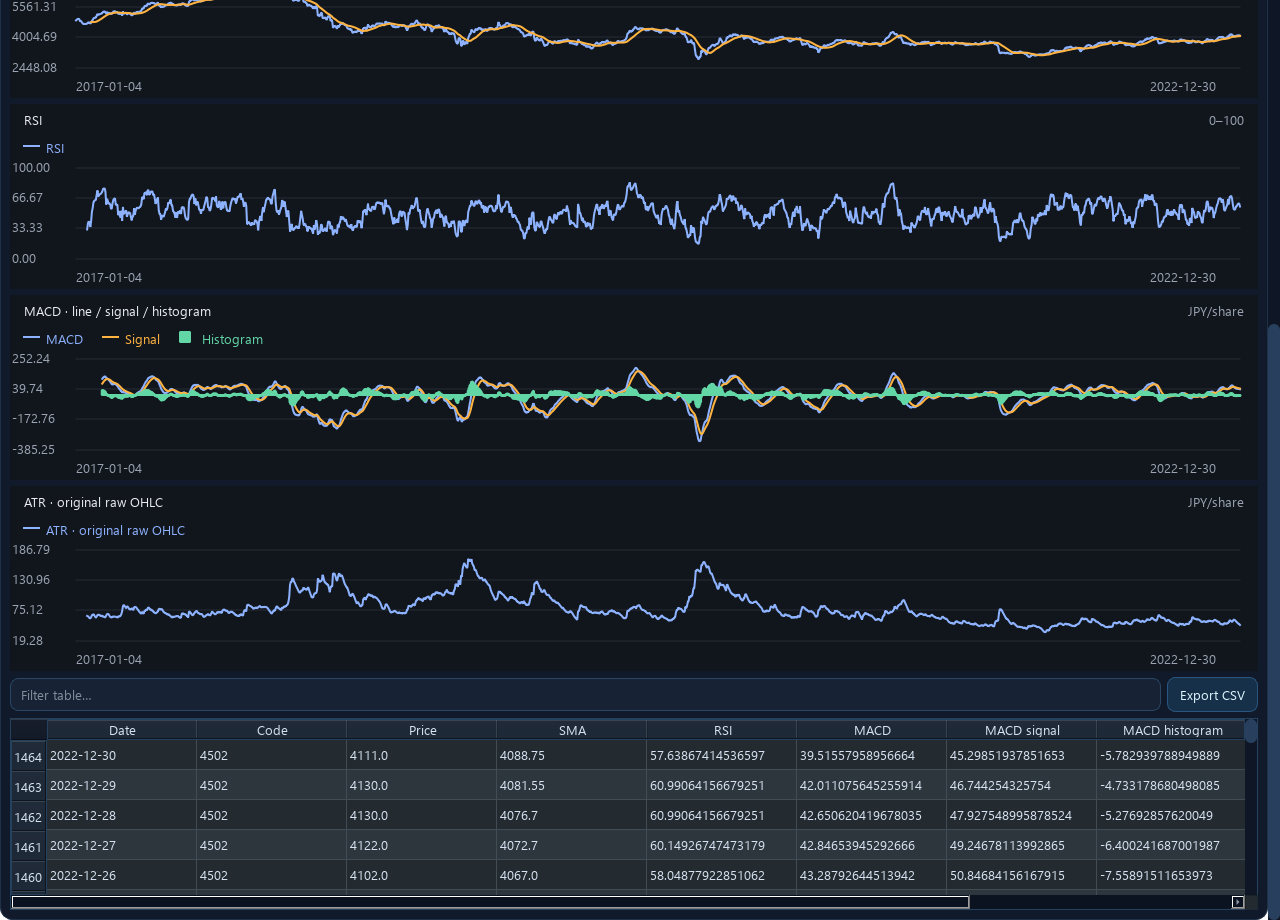
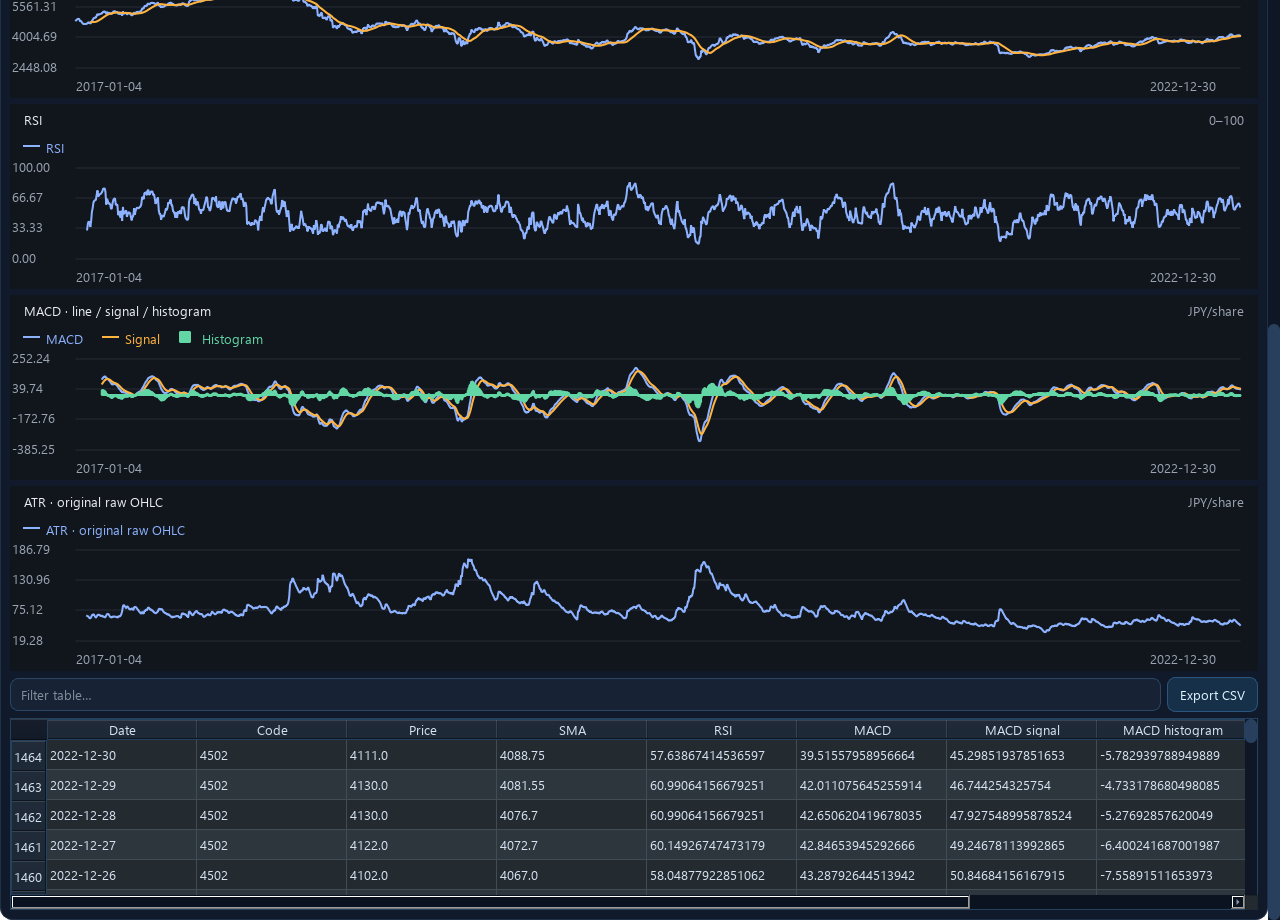
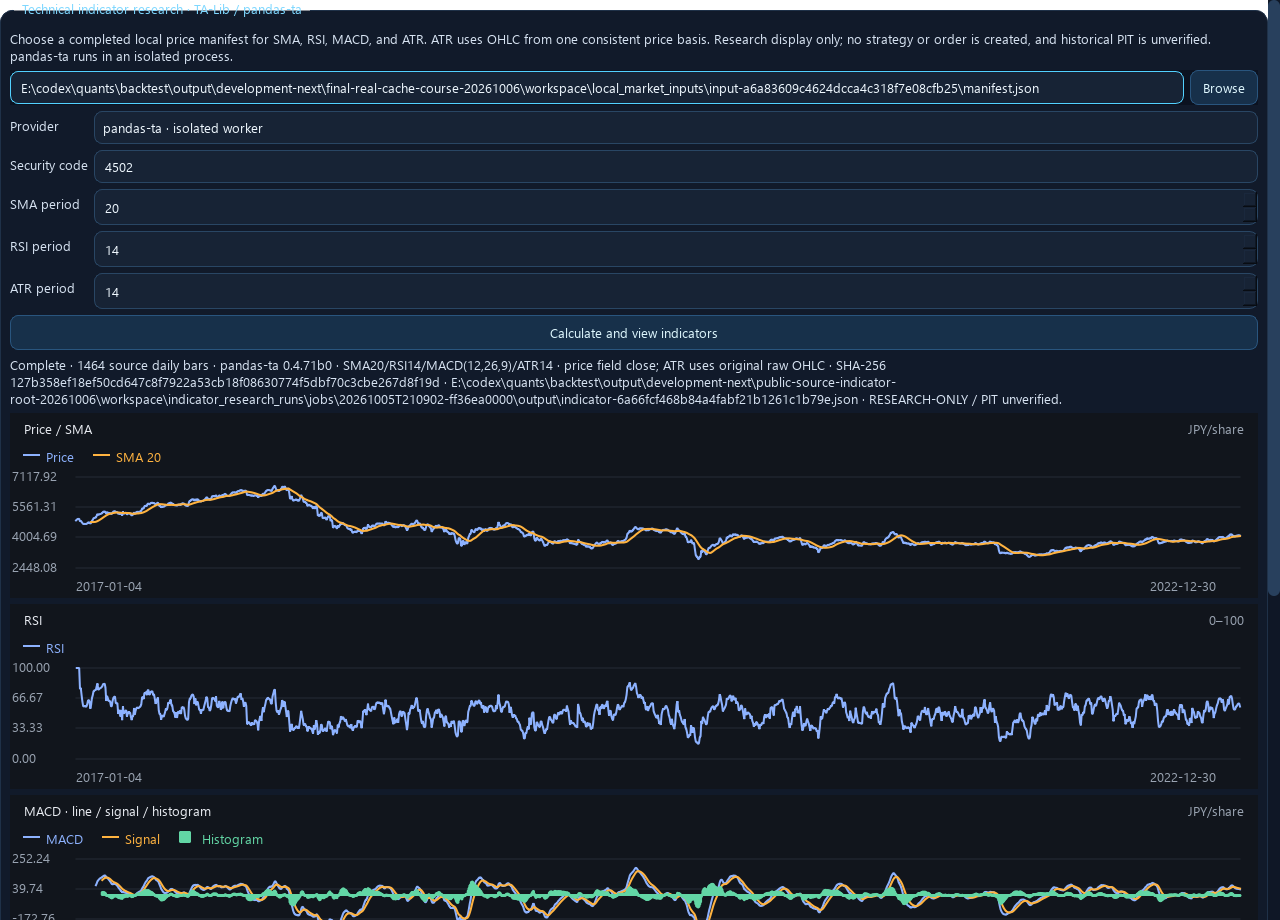
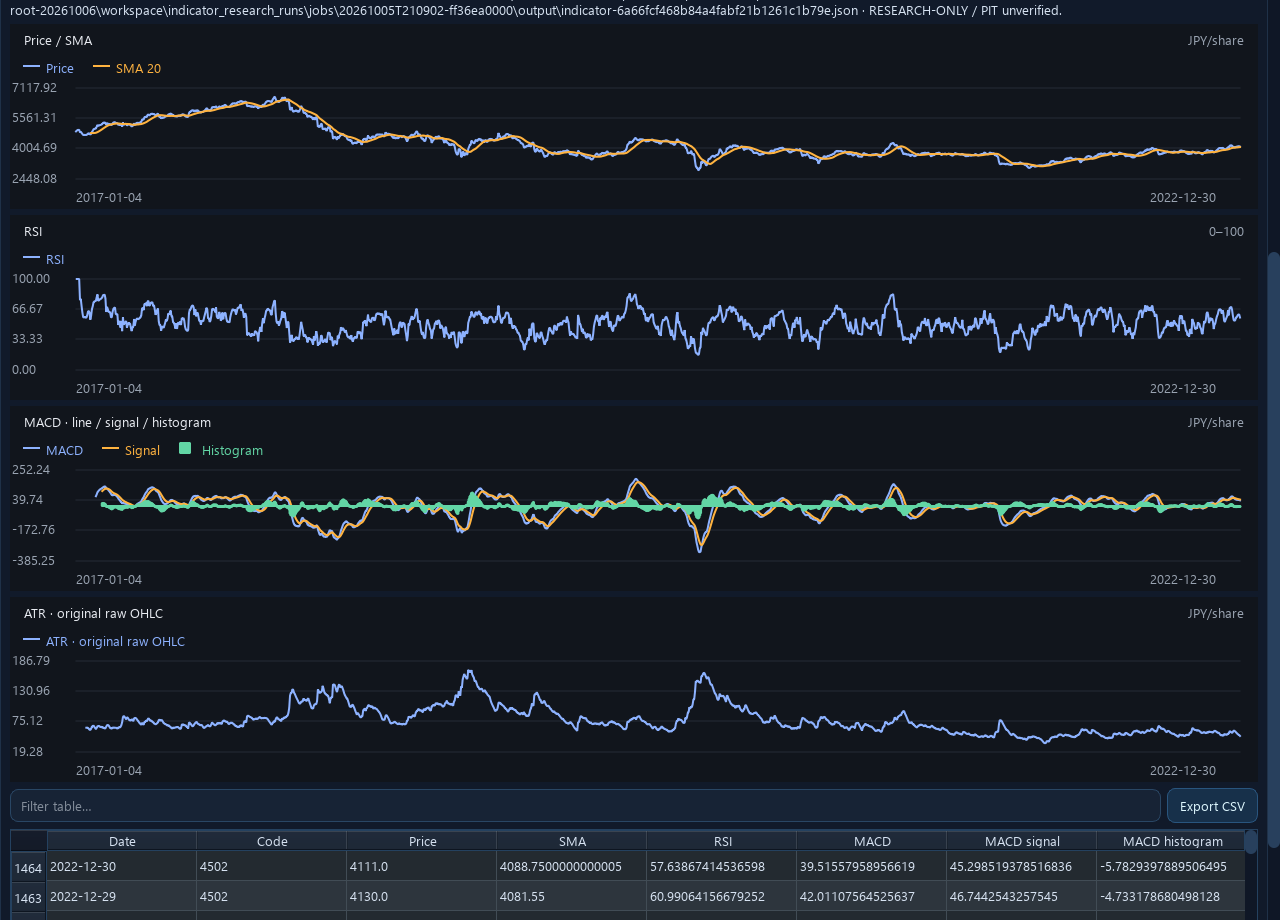
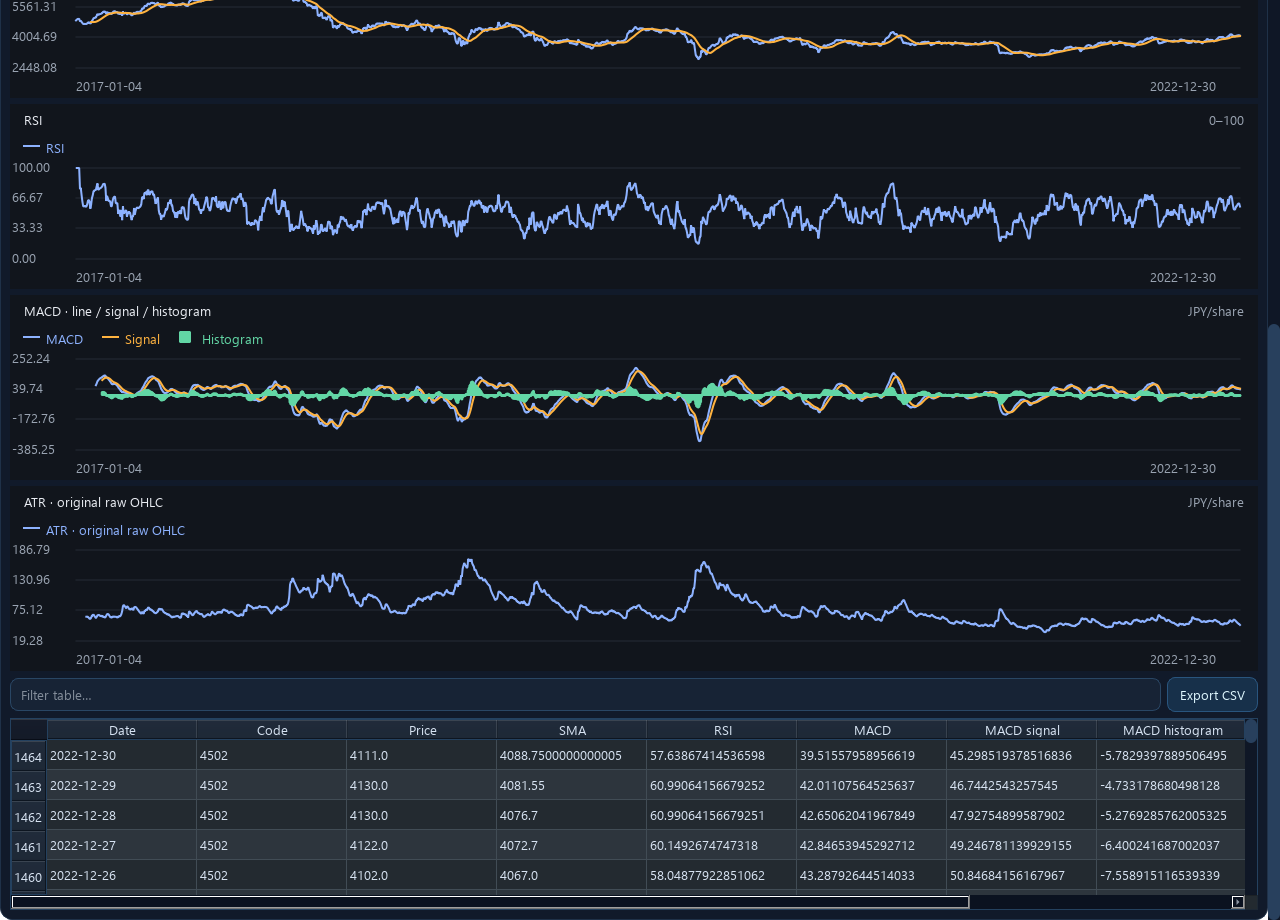
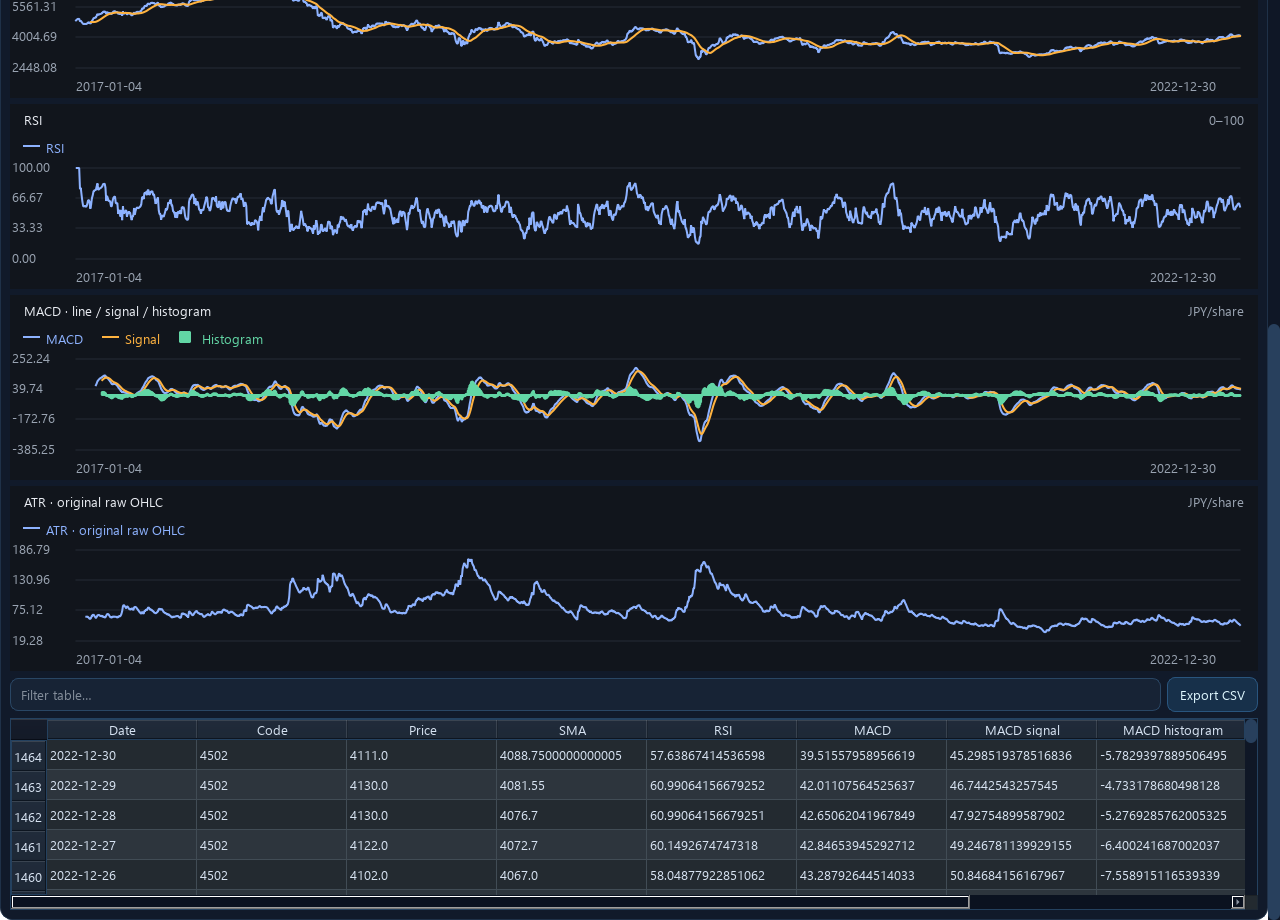
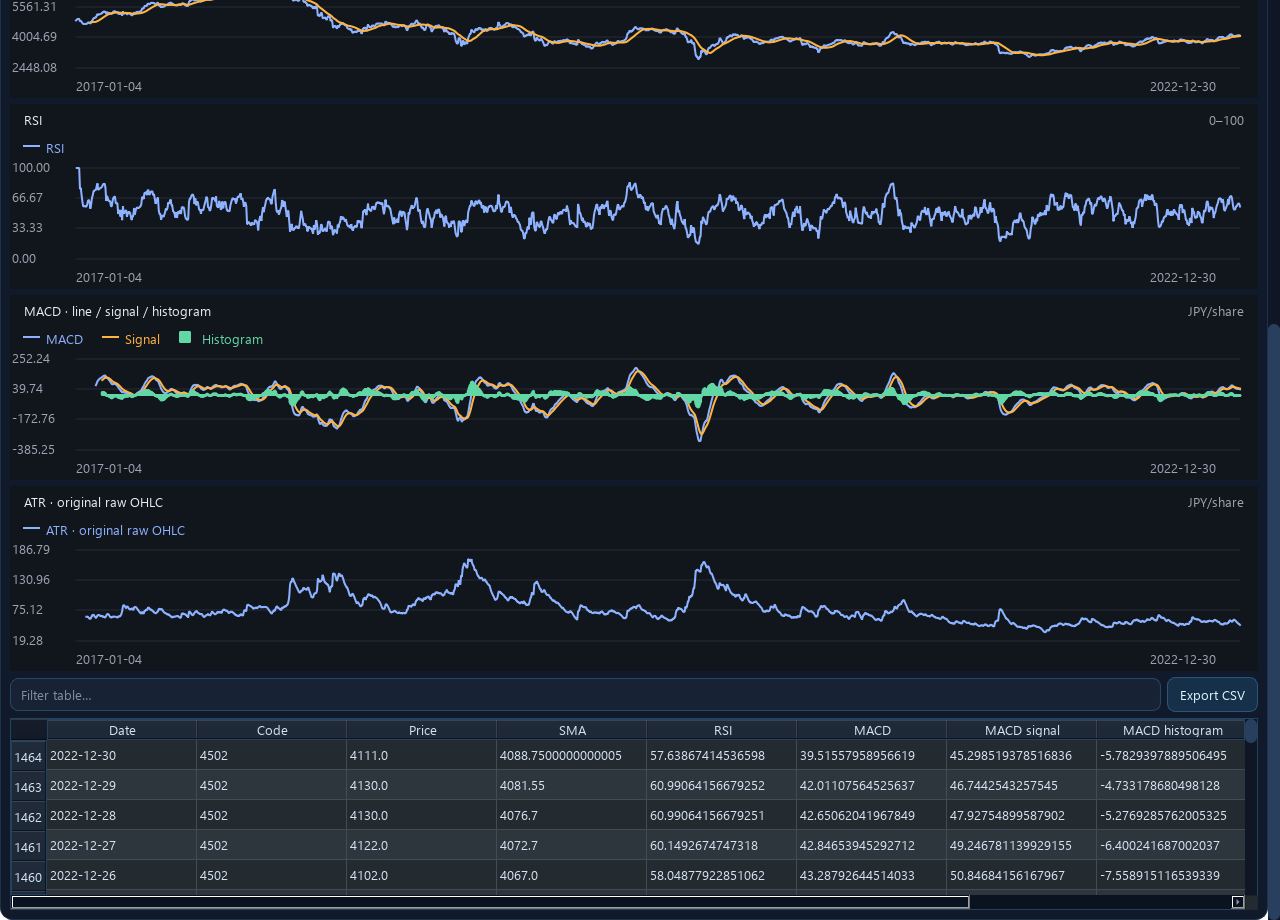
Separately, open “Data Center → Technical indicator research” and choose the same manifest and one code. Run TA-Lib or pandas-ta only when the panel has an available runtime receipt. Set SMA 20, RSI 14, ATR 14, MACD 12/26/9 and calculate. Read price/SMA in JPY per share, RSI on a fixed 0–100 axis, MACD line/signal/histogram, and ATR in JPY per share.
Warm-up values remain empty and lines break at gaps; no interpolation is applied. ATR uses complete OHLC in the selected price basis. The pandas-ta receipt records its actual provider default warm-up SMA seed. The two providers may differ slightly by version and initialization; use the provider, version, and parameters in the receipt.
Native is the MA strategy calculation path, not a general RSI/MACD/ATR indicator provider. Indicators do not automatically become signals or orders.
Troubleshoot a run
For failures, check code uniqueness, complete OHLC, integer periods, warm-up coverage, and the isolated runtime receipt. Do not move optional dependencies into the GUI’s NumPy/pandas environment. Retry into a new run directory and preserve the failed evidence.
Continue learning
All five tutorials · Quantitative research basics · Reading result charts
Applies to: main source candidate (unpublished) · Public source docs/en_US/GUI_RESEARCH_COURSES.md
Reviewed · KabuForge